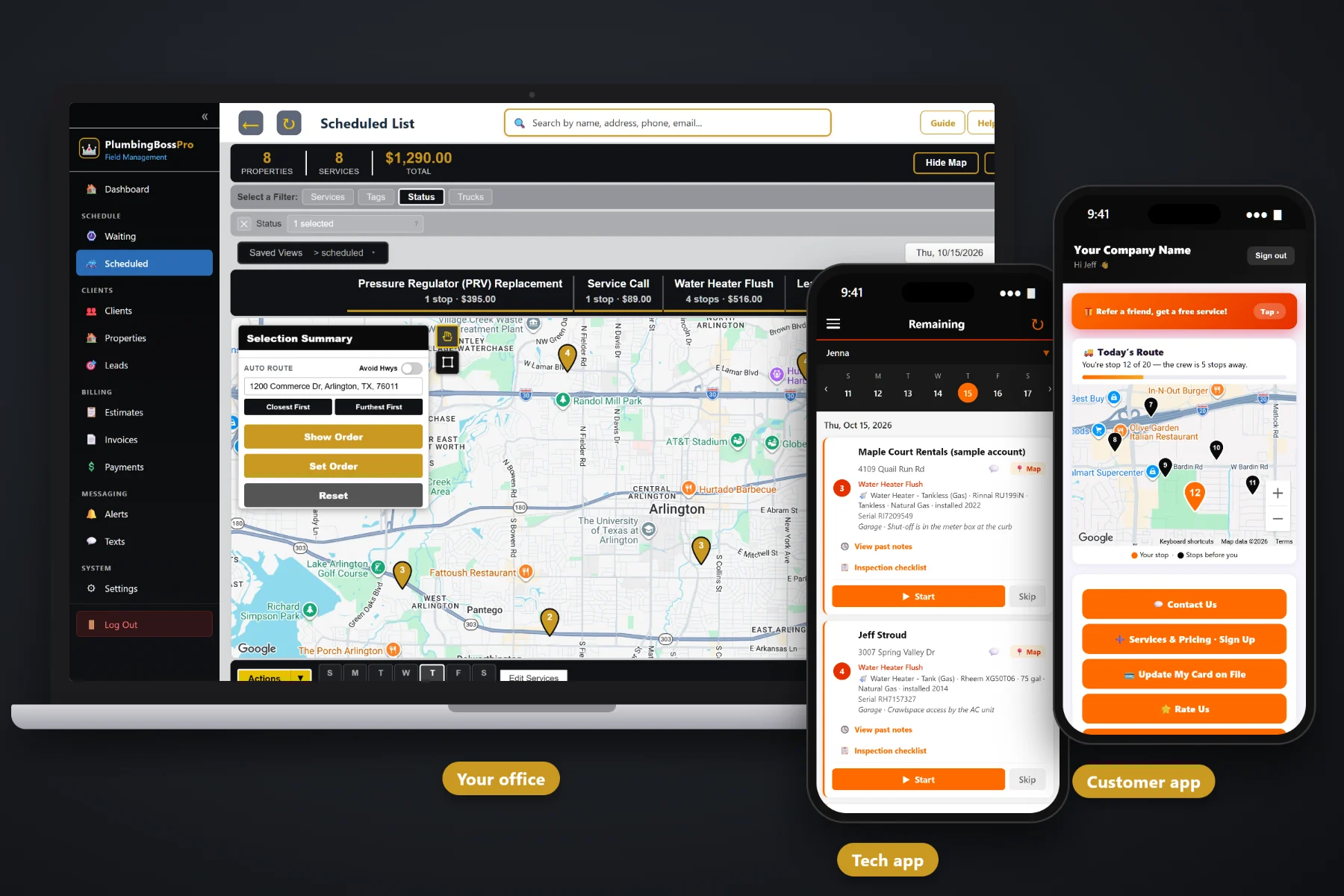
A plumbing quote is a service call fee, a diagnosis, a few line items and sometimes a water heater with a model number and a size. PlumbingBossPro builds estimates from your own service list, keeps equipment details on the estimate so they carry onto the job, lets the customer approve online, and turns the approved estimate into the scheduled job. Follow-up emails go out on quotes that went quiet, and website requests and sign-ups land in one place.
Plans start at $59/month, and estimates are part of every plan. The service list, online approval, follow-up emails, templates and the hand-off from approved quote to scheduled job come with the platform, not as an add-on. To see how quoting fits with dispatch, the tech app, equipment records and billing, start at PlumbingBossPro and then dig into the quoting side here.
Service call, drain cleaning, main line, hydro-jetting, water heater replacement, PRV, softener. Your names, your prices, picked onto the estimate.
Water heater type, brand, model, size and fuel filled in on the estimate carry onto the job and onto the house record.
The customer reads the estimate and approves it online. Nobody plays phone tag to get a yes.
An approved estimate becomes the job, ready for the dispatch board, with the line items already on it.
Estimates that have not been answered get a follow-up email, so quotes do not die in an inbox.
Website requests and sign-ups land in Form Responses. One click turns a sign-up into a client.
A homeowner deciding on a water heater wants to see exactly what they are buying: what comes out, what goes in, and what it costs. PlumbingBossPro lays it out as line items from your service list, with the equipment details filled in, so the customer reads one clear page and the tech who installs it reads the same details on the job card.
Most plumbing quotes are not complicated. They just get lost between the truck, the office and the customer's inbox. PlumbingBossPro keeps each quote in one place from the first request to the scheduled job.
Add the services you sell with your own names and prices: service call, drain cleaning, main line, faucet, toilet, water heater replacement and the rest.
Pick line items, fill in equipment details where they matter, or start from an estimate template for a job you quote often.
The customer reads the estimate and approves it online. Quiet quotes get a follow-up email.
The approved estimate turns into the scheduled job, so dispatch puts it on a van and a day without retyping a line.
Generic estimate tools know a customer name and a total. A plumbing quote also has a water heater size, a fuel type, a sewer finding and a tech who needs all of it on the day of the install. When the quote and the job live in different places, the details get lost in between.
Ask any plumbing owner where quotes go wrong and you will hear the same story: a water heater price written on the back of an invoice, a homeowner who said “let me think about it” and was never called back, and an install day where nobody wrote down whether the new unit was a 40 or a 50, gas or electric. Whether the haul-away was included. Whether the customer ever actually said yes.
That information belongs on the estimate and then on the job, not in a truck console. When the approved quote becomes the job, the tech installs what the customer approved and the invoice matches the quote.
PlumbingBossPro keeps the quote, the equipment, the house and the customer in one place, from the first request to the paid invoice.
Every tool here exists to get a clear quote in front of the customer, get an answer, and turn the yes into a job on the board.
Your services with your names and prices, picked onto every estimate as line items.
Faucets, toilets, disposals, leak repair, drain cleaning, main lines, hydro-jetting and camera inspections.
Quote tank or tankless replacements with the type, brand, model, size and fuel on the estimate.
Equipment details filled in on the estimate carry onto the job and onto the house.
Save the quotes you write every week and start the next one from the template.
Customers approve the estimate online, on their own time, without a phone call.
The approved estimate becomes the scheduled job, ready for a van and a day.
Estimate follow-up emails go to customers who have not answered yet.
Quote requests from your website land in Form Responses with the address and the problem.
Customers sign up for services like a yearly flush plan, with a card captured on the form.
A sign-up in Form Responses becomes a client with one click.
Quote property managers and restaurants with one client and many addresses, and monthly account billing.
Completed jobs become invoices with line items and sales tax, charged to the card on file.
Yearly flushes, softener service, backflow tests and grease-line jetting come due on their own.
Approved work shows up on each tech's phone with the equipment and access notes on the card.
Start $59, Pro $89 and Crew $199 per month, with estimates on every plan.
The gap between a signed quote and a booked job is where plumbing companies lose work. In PlumbingBossPro the approved estimate becomes the scheduled job, with the line items and equipment details already on it. Dispatch puts it on a van and a day, auto-routes from the shop, and the tech sees the water heater model, size and location on the job card. When the tech taps Complete, the invoice is created from the same line items. For the full walkthrough, read Plumbing Estimate Software: The Complete Guide to Quoting, Approval and Turning Estimates Into Jobs.
Not every customer wants to call. The website request form sends quote requests straight into Form Responses with the address and the problem. The sign-up form lets a customer sign up for a service such as a yearly water heater flush plan and captures their card. One click turns a sign-up into a client with the address on the map, and the customer app gives them service requests, invoices, online payment and their card on file from then on.
Pick the plan that fits your operation. Every plan starts with a 14-day free trial and no credit card.
Compare plans on the pricing page.
From your own service list. You set up the services you sell, such as a service call, drain cleaning, main line, hydro-jetting, camera inspection, faucet, toilet, disposal, leak repair, water heater replacement, tankless install, PRV, softener and backflow, with your own names and prices. Each estimate is built by picking line items from that list.
Yes. Equipment details such as the type (tank or tankless, gas or electric), brand, model, size, fuel and location can be filled in on the estimate, and they carry onto the job so the tech installing it sees the same details on the job card.
The customer approves the estimate online. Once it is approved, it becomes the scheduled job, so the office does not retype anything to get it on the dispatch board.
Estimate follow-up emails go out to customers who have not answered, so a quote does not sit forgotten in someone's inbox. Your office can also follow up by two-way text.
Yes. The website request form and the sign-up form both flow into Form Responses. A sign-up captures the customer's card, and one click converts it into a client with the address placed on the map.
Start is $59/month, Pro is $89/month, and Crew is $199/month. Estimates are on every plan, and every plan starts with a 14-day free trial with no credit card.
Estimates are one piece of how PlumbingBossPro runs a plumbing company. For dispatch, the tech app, equipment records, recurring work and billing, see the full PlumbingBossPro platform overview.
Practical reading on building a service list, pricing the service call, quoting drains, repairs, water heaters, repipes and sewer lines, online approval, follow-up emails, templates, forms and sign-ups, and choosing estimate software.
Estimates from your own service list, equipment details that carry onto the job, online approval, follow-up emails and approved quotes that become scheduled jobs. Try PlumbingBossPro free for 14 days.