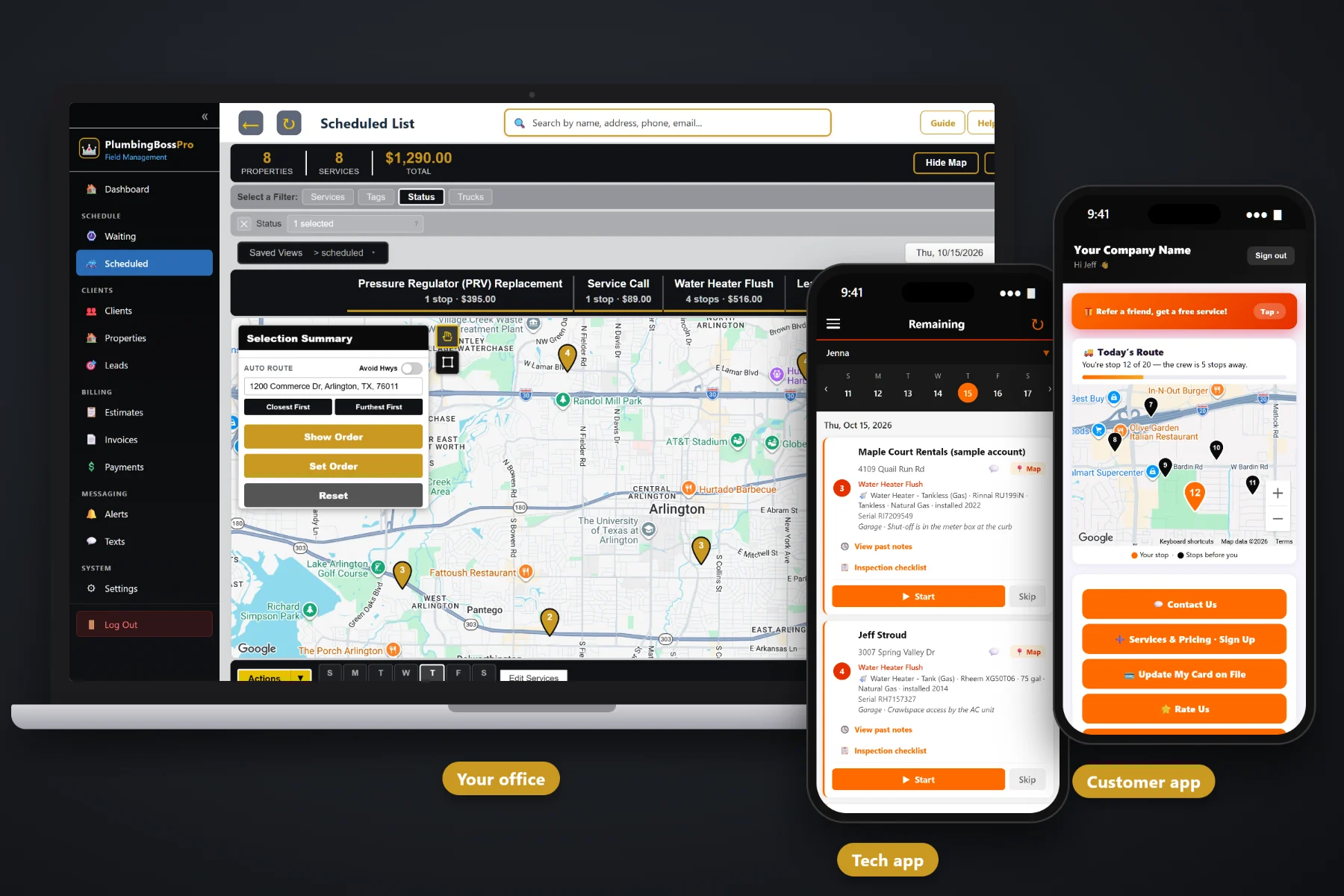
A plumbing job is not done when the leak stops. It is done when the money is in the bank. PlumbingBossPro turns every completed call into an invoice with line items a homeowner can read — service call, labor, parts, the new fixture, sales tax — and can charge the card on file the moment the tech taps Complete. Customers pay online from the customer app, past-due invoices get followed up, and property managers and restaurants get one monthly statement covering every address.
Plans start at $59/month, and invoicing, card on file, online payment and monthly account billing are part of every plan. To see how billing fits with dispatch, the tech app, equipment saved on the house and recurring flush plans, start at PlumbingBossPro and then dig into the money side here.
Service call, labor, parts, fixtures and after-hours charges each get their own line, so the homeowner sees what they paid for.
Capture the card on the sign-up form or in the customer app, and charge it without asking for it again at the door.
When the tech taps Complete, the invoice is created and the card on file can be charged before the van leaves the driveway.
Customers see their invoices in the customer app, pay online and update their own card when it expires.
A property manager or restaurant group set to Monthly gets one statement covering every address, each line labeled.
Unpaid invoices get followed up, so the office is not keeping a list of who still owes on a sticky note.
Most billing calls are not about the price. They are about a single total with no explanation. PlumbingBossPro builds the invoice from your own service list, so the service call, the labor, the parts and the new fixture each show as a line, with sales tax added the way you set it up. If the job started as an approved estimate, the price the customer said yes to carries onto the job.
Plumbers did not get into the trade to write invoices at the kitchen table at night. PlumbingBossPro asks the office to set up services and prices once, and then every completed job produces its own invoice. The card on file does the rest, and the customer app handles the people who would rather pay themselves.
Add your service call, drain cleaning, water heater, fixture and repair services with your own prices, and set your sales tax.
The website sign-up form captures a card, and customers can add or update one in the customer app. Property managers can be set to Monthly.
The invoice is created from the job, and the card on file can be charged right then, or on a schedule you choose.
Customers pay online from the customer app, past-due invoices get followed up, and billing reports show what is still owed.
Most invoicing tools give you a customer name and a total. A plumbing company bills a service call, labor, a handful of parts, a fixture the customer picked, an after-hours charge, a yearly flush plan and a property manager with eleven rentals who wants one bill. A tool that only knows totals leaves the office doing the rest by hand.
Ask any plumbing shop owner where the money leaks out and you will hear the same story: a carbon-pad invoice that never made it back from the van, a water heater swap where nobody collected a deposit, a restaurant that gets four separate jetting bills a month and pays none of them on time, and a homeowner who calls angry because the bill just says “Plumbing — $640”.
Billing belongs on the job, not on a pad in the glovebox. When the invoice is built from the job and the card is already on file, the tech never has to ask for money at the door and the office stops chasing paper.
PlumbingBossPro keeps the job, the house, the customer and the invoice in one place, from the first service call to the paid statement.
Every tool here exists to get plumbing work paid faster, with fewer phone calls about the bill and fewer invoices sitting open at the end of the month.
Service call, labor, parts, fixtures and extra charges on their own lines, built from your own service list.
Sales tax added on the invoice the way you set it up for your area.
An approved estimate becomes the scheduled job, so the price the customer agreed to carries through.
Captured on the website sign-up form or added by the customer in the customer app.
The card on file can be charged when the tech taps Complete, or on a schedule you choose.
Customers see their invoices in the customer app and pay from their phone.
When a card is declined or expires, the customer updates it in the customer app instead of reading it over the phone.
Open invoices get followed up by text and email, so nothing old sits forgotten.
Property managers, landlords and restaurants set to Monthly get one statement with every address labeled.
Grease-line jetting every 14 or 30 days and yearly flushes come due on their own and bill as they are done.
Answer billing questions by text from the office, with the invoice right there on the client.
Before-and-after photos and tech notes stay with the job for the day someone questions a bill.
See what was invoiced, what was paid and what is still open across the company.
Bill customers in their own currency in the US, Canada, Australia, New Zealand and the UK.
Office user roles keep billing in the hands of the people who should run it.
Start $59, Pro $89 and Crew $199 per month, with billing on every plan.
A property manager does not want twelve invoices for twelve rentals. A restaurant group does not want a bill every time the jetter runs. Set the client to Monthly and PlumbingBossPro rolls the month's work into one statement, with each line labeled by the address it was done at. The leak at the duplex, the water heater at the fourplex and the drain call at the single-family rental all land on the same page. For the whole picture of how plumbing billing works, read Plumbing Invoicing Software: The Complete Guide to Billing and Getting Paid for Plumbing Work.
Not every customer wants to be charged automatically, and not every card stays good forever. The customer app gives homeowners a place to see every invoice, pay online, add a card and update it when it expires or gets declined. They can also sign up for a yearly water heater flush plan, request service and choose their alerts. Questions about a bill come back to the office through two-way texting, where the invoice is one click away.
Pick the plan that fits your shop. Every plan starts with a 14-day free trial and no credit card.
Compare plans on the pricing page.
It is built from your own service list, so it can show the service call, labor, parts, a new fixture or water heater, and any emergency or after-hours charge as separate lines, with sales tax added the way you set it up. Prices are yours; PlumbingBossPro does not ship a flat-rate price book.
Yes. When the tech taps Complete in the tech app, the invoice is created and the card on file can be charged right then. You can also charge on a schedule instead.
The website sign-up form captures a card, and customers can add or update a card themselves in the customer app. That is also where they pay invoices online.
Yes. Set the client to Monthly and they get one statement each month covering every address, with each line labeled by the address the work was done at. Restaurants with recurring grease-line jetting work the same way.
Many shops send a deposit invoice before a water heater swap or a repipe, collect it by card on file or online payment, and bill the balance on the final invoice. The policy is yours; the invoices and payments are in PlumbingBossPro.
Start is $59/month, Pro is $89/month, and Crew is $199/month. Billing and payments are on every plan, and every plan starts with a 14-day free trial with no credit card.
Billing is one piece of how PlumbingBossPro runs a plumbing company. For dispatch, the tech app, equipment saved on every house, recurring flush and jetting plans and the customer app, see the full PlumbingBossPro platform overview.
Practical reading on plumbing invoice line items, card on file, auto-charge on completion, deposits, declined cards, past-due follow-up, sales tax, flush plans, monthly statements for property managers and restaurants, cash flow and billing reports.
Clear line items, the card charged at completion, online payment from the customer app and one monthly statement for every account. Try PlumbingBossPro free for 14 days.